


TECHNICAL GUIDE · RAIL SYSTEM
Long cut Check the setup
Rail length answers one question: will the guide cover the planned line? It does not tell you whether the surface suits the holding system, whether the slab is supported correctly or whether the work area covers the complete job.
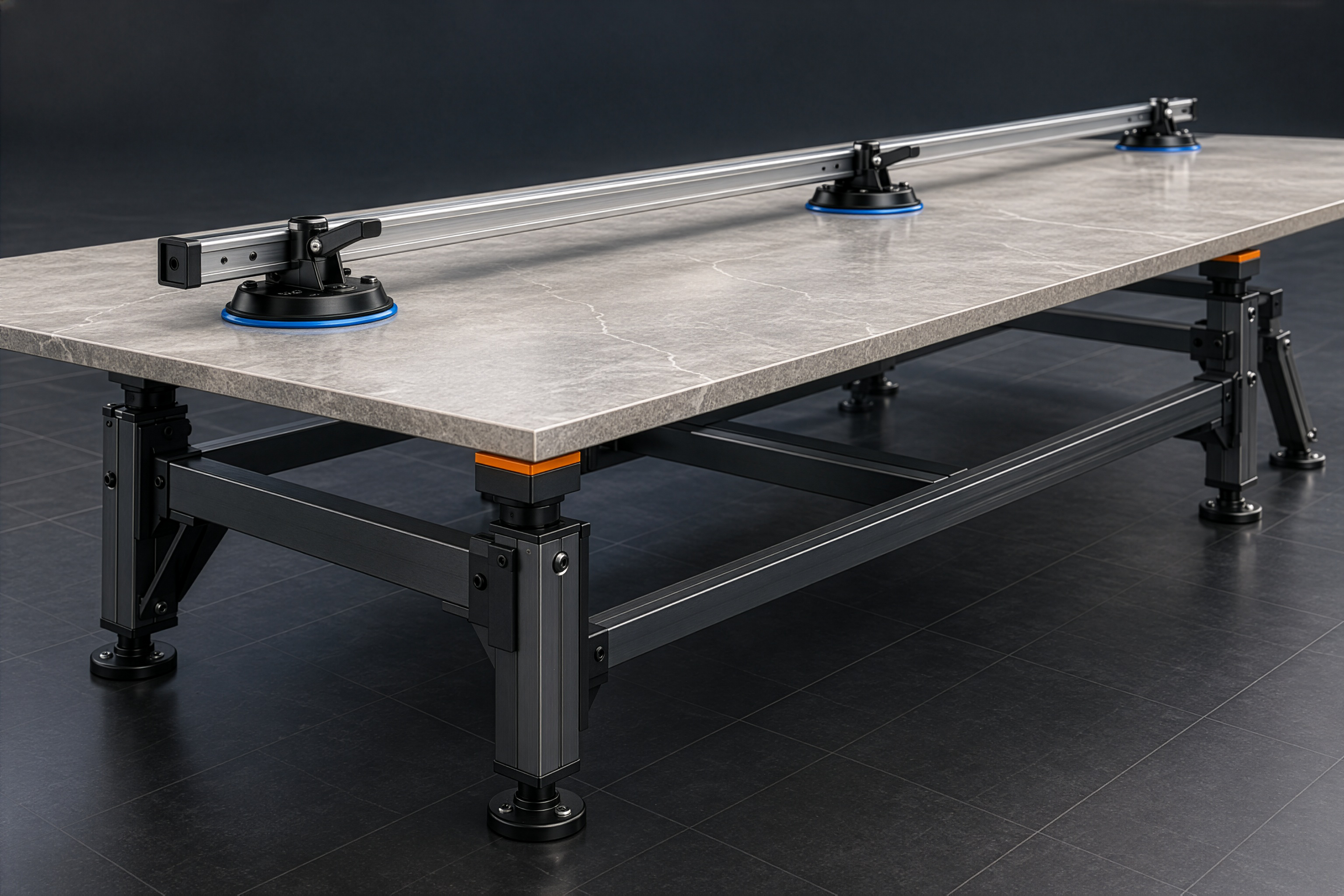
Suction holds the guide
Slab support is separate
Jump to topic
Record six answers before placing the system. If one is missing, preparation is incomplete.
01 Material
Record the manufacturer, product, format, thickness and surface finish. Open the current processing instructions for that material and check whether they permit the proposed method.
Do not extend one slab manufacturer's directions to every porcelain product or sintered slab. Requirements can vary with the product, thickness and operation.
02 Complete line
Mark the start, finish and retained side. Measure the complete line, rather than relying on the tile's nominal format.
Compare that result with the current system configuration. If the line needs several guide components, confirm the applicable set on the product page and in its instructions. This article does not replace the variant table.
03 Contact surface
The current SmartRail page states smooth and matt tile surfaces. Treat any other texture as unconfirmed until the applicable material and system instructions have been checked.
Powered suction holds the guide to the surface. It does not support the slab underneath. These are separate checks.
04 Support
The applicable material and tool instructions determine support for the specific operation. Check planarity, stability and the support area before positioning the guide.
There is no universal trestle spacing, support count or crew number here. A pair of supports shown for another use does not automatically become a complete workstation for every rail cut.
05 Work area
Plan space for the full line and for handling the piece afterwards. Mark the retained piece and offcut. Check that the workstation accommodates every stage required by the applicable instructions: positioning, monitoring the line, separating the piece, finishing the edge and onward handling.
This is still not a safety procedure or operating manual. Those requirements come from the tool instructions, material safety information and the rules for the actual workplace.
06 What is checked and what is missing
Give every check one of three statuses:
- CHECKED — the required information and source are available;
- TO CHECK — an instruction, measurement or compatibility decision is missing;
- DOES NOT FIT — the real material, surface, line or workstation does not fit the planned configuration.
The status does not authorise work. It shows where evidence ends and an assumption begins.
Before you go to the card, list every TO CHECK and DOES NOT FIT item in one place. That is your list of gaps: take it to the material instructions, the system page or to RAIZI.
07 Long-cut readiness card
| Check | Record | Status |
|---|---|---|
| Material | manufacturer / product / thickness / finish | checked / to check / does not fit |
| Line | length / start / finish / retained side | checked / to check / does not fit |
| System | configuration / reach / required components | checked / to check / does not fit |
| Surface | smooth, matt or other; source-backed suitability | checked / to check / does not fit |
| Support | applicable instruction / planarity / stability / area | checked / to check / does not fit |
| Work area | complete line / separation / handling / finishing | checked / to check / does not fit |
The card does not certify the workstation. Its purpose is to expose missing information before the guide is positioned.
08 Match the system to checked facts
First compare the method, material, complete line and support in our guide to choosing a tile cutter.
If the confirmed information points to a rail system, check the current SmartRail configuration. For an unusual surface, incomplete documentation or an unresolved workstation, send RAIZI the material details and drawing.