


RAIZI.PROTOOLS
How to choose a tile cutter for your work
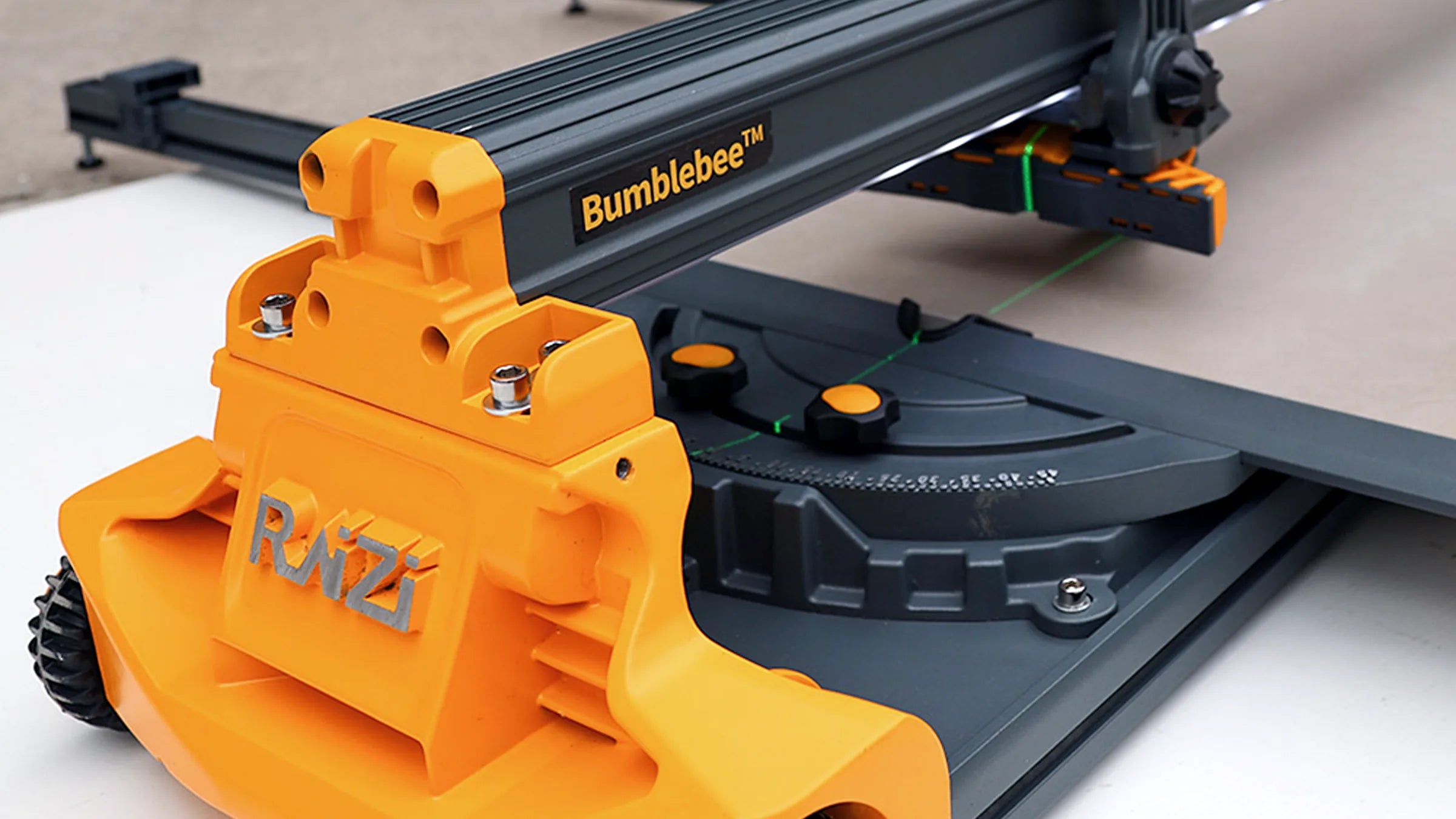
Cut a 600 × 600 mm tile from corner to corner and the cutting line is almost 850 mm.
Jump to a topic
Choose a cutter that can accommodate your longest cut. Check how the tile will be supported and what comes in the kit.
Compare manual cutters, wet saws and a rail system below. Then check which equipment prepares the edge and which supports the slab.
01 Will the tile fit diagonally?
Note the tile dimensions and mark the cut. Measure the full line, including any diagonal. For the 60 × 120 cm calculation, see “Measure the cut. Choose the cutter.”.
Compare that measurement with the model’s maximum cutting length. BumbleBee 800 has a maximum cutting length of 825 mm; BumbleBee 1200 reaches 1230 mm. Puppy comes in 650, 950, 1200 and 1600 mm lengths. Check the permitted material type and thickness separately.
600 × 600 mm → approximately 849 mm diagonally. Check that the tile fits and is supported in that position. The cutter must also be suitable for the material type and thickness.
Have these four details ready:
- the dimensions and thickness of the tile or slab;
- the material type;
- the cuts you plan to make: straight cuts, diagonals, narrow strips or edge preparation;
- how you will arrange the workstation and transport the equipment.
02 Which cutting method should you choose?
| Main task | Where to start your comparison |
|---|---|
| Manual straight and diagonal cutting | Puppy and BumbleBee: working length, carriage guidance and tile support |
| Repeated wet cuts with a blade | BigDog: working length, automatic mode and manual mode |
| Long cuts on a large slab, with the guide laid directly on the material | SmartRail: the base system and any additional extension |
| Bevel preparation on an edge already cut to size | Bevelo, with a separate pair of Tile Stand supports where needed |
SmartRail’s suction cups secure the rails; you move the scoring carriage by hand. BigDog has an automatic-feed mode. Tile Stand only supports the material.
03 Puppy and BumbleBee: guidance and support
Puppy is a manual cutter for straight and diagonal cuts. The carriage runs along a covered, steel-reinforced guide. A green laser marks the scoring line and a folding ruler helps set the measurement. A triangular support holds the tile for diagonal cutting.
Compare Puppy lengths against the cuts you need to make. Rubber wheels help you move between work areas; the ruler folds for transport.
BumbleBee has a 300 mm-wide sprung base that yields under pressure. You can adjust the handle length and scoring-wheel height. The quality of the score also depends on the material and how you guide the wheel.
A concealed guide stabilises the carriage. The green laser marks the cutting line; a separate LED strip lights the work area. Compare BumbleBee 800 and 1200 using the maximum cutting lengths above.
04 BigDog and SmartRail: large slabs
BigDog is an electric wet saw for large-format tiles and stone. In automatic mode, the head travels along the guide and returns to its starting position while the operator supervises the cut. In manual mode, you guide the head and control the feed rate.
Water spray cools the blade and a laser helps align the cut. Choose a blade suitable for the material and prepare the work area for water. Check BigDog lengths: 1200, 1600 and 1800 mm. For the split between machine and operator, see “Automatic feed. You’re in control.”.
SmartRail sits directly on the slab. Once the modules are connected, one button activates the powered suction cups. The system restores suction when the vacuum level drops; the display shows the holding status.
Guide the scoring carriage by hand, then use breaking pliers to snap the slab. Two rails form the base system. The maximum straight cutting length of 3600 mm requires the optional extension. The 800 mm rail is a separately sold accessory for the base system. Check the SmartRail configuration. For what to check before setting up the rail, see “Long cut. Check the setup.”.
05 Bevelo and Tile Stand: edge work and slab support
Bevelo prepares the edge of a slab already cut to size. This electric bevelling tool works on porcelain tile and stone at 43°. Adjust the cutting depth and the material left at the tile face. Rollers guide the tool along the edge; a suitable vacuum collects dust.
Tile Stand is a separately sold pair of slab supports. This variant does not include the Bevelo tool. Check the bevelling tool and stands. Before installation, bring the prepared pieces together and check the space for the joint. For how to describe an edge pair before bevelling, see “Size first. Then bevel.”.
06 What’s in the kit, and what do you buy separately?
Check what you are buying. The SmartRail base kit and extension are separate products, as are the Bevelo tool and the Tile Stand pair.
| Variant to compare | What you are selecting | What to check separately |
|---|---|---|
| Puppy 650 / 950 / 1200 / 1600 | A manual cutter in the selected length. | The full planned cutting line, material thickness and support. |
| BumbleBee 800 / 1200 | A manual cutter with a maximum cutting length of 825 or 1230 mm respectively. | Actual cutting capacity, rather than the model number alone, and how the tile will sit on the workstation. |
| BigDog 1200 / 1600 / 1800 | An electric wet cutter in the selected length. | A blade suitable for the material and the arrangements for working with water. |
| SmartRail — base | The base rail system, formed from two rails. | Whether the planned cutting length requires the optional extension. |
| SmartRail — 800 mm rail | A separately sold accessory for an existing base system. | The extension does not replace the base, scoring carriage or breaking tools. |
| Bevelo — bevelling tool | An electric tool for preparing an edge that has already been cut to size. | Slab support and a suitable vacuum. The Tile Stand pair is sold separately. |
| Tile Stand — pair of stands | A pair of stands to support the material. | This variant does not include the Bevelo tool and does not machine the edge. |
Check what comes in the kit and what you need to buy separately. If your chosen length or configuration is unavailable, ask us about availability.
Check before you buy
Check cutting length, material suitability and support. Then choose the exact variant and check what it includes.
Need help? Email hello@raiziprotools.com with the material type, thickness, dimensions and planned cut. Include a tile photo or sketch if you can. Those details will help us match the tool to the job. You don’t need to know the model name. Describe what you want to do.